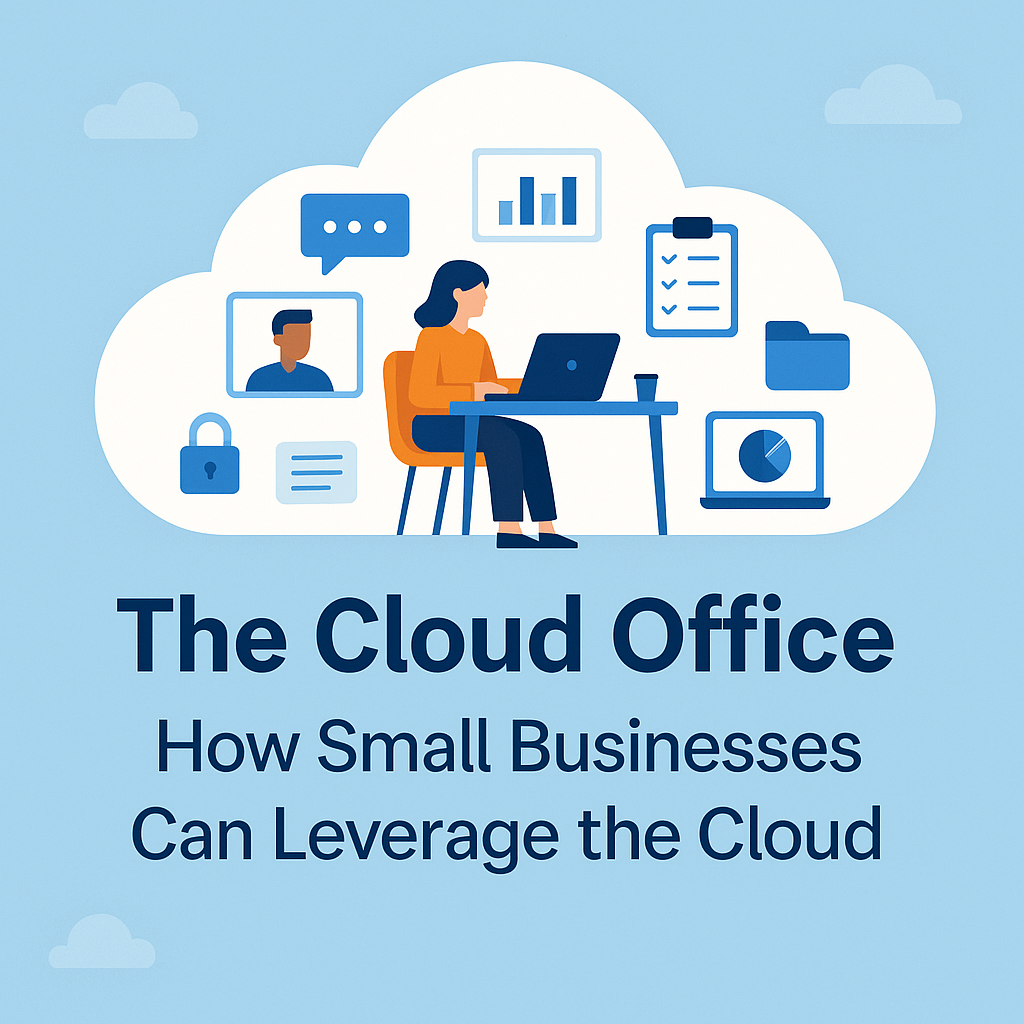
The Cloud Office: How Small Businesses Can Get “Headquarters Energy” Without Paying Headquarters Rent
Work-from-home didn’t kill the office—it just turned it into software. Today, a small business can recreate nearly everything a physical office provides (phones, files, meetings, whiteboards, front desk, collaboration, even “walk over to Accounting”) using cloud services that scale up or down month to month.
That’s the good news.
The real news is this: once your office lives in the cloud, your security posture depends far less on a locked door and far more on identity, device controls, and smart configuration. In other words, the biggest risk isn’t “someone breaks in.” It’s “someone logs in.” CISA explicitly calls out multi-factor authentication (MFA) as a simple, effective control that can block many common attacks. cisa.gov+1
Below is a practical (and budget-friendly) way to build an “office environment” in the cloud—plus the security concerns to address so it doesn’t become an open bar for attackers.
What an “Office Environment” Really Means (and How the Cloud Replaces It)
When you strip away the paint and office snacks, an office delivers five things:
-
Communication (phones, email, chat, meetings)
-
Shared work (documents, file storage, knowledge)
-
Coordination (calendars, tasks, approvals)
-
Access to business apps (accounting, CRM, project tools)
-
Security + governance (who can access what, and how)
Cloud platforms can cover all five without the fixed cost of a lease:
A modern cloud office stack (common for SMBs)
-
Productivity suite: Microsoft 365 or Google Workspace (email, calendar, docs, storage)
-
Meetings + chat: Microsoft Teams / Google Meet / Zoom + Slack/Teams chat
-
File collaboration: SharePoint/OneDrive or Google Drive with shared drives and permissions
-
Line-of-business apps: cloud CRM (HubSpot/Salesforce), accounting (QuickBooks Online), ticketing/help desk, etc.
-
Phone system: cloud VoIP so employees can answer “the office line” from anywhere
-
Device management: endpoint management (patching, encryption, mobile device controls)
The cloud makes this feel like a single “office” because work lives in shared systems—not on one computer in one building.
Why Cloud Wins on Cost in the WFH Era
A physical office has “silent costs”: long leases, build-outs, furniture, commuting friction, and IT gear that’s oversized to handle peak demand. Cloud flips that model:
-
Predictable monthly pricing (pay for what you use)
-
Fast onboarding/offboarding (add users in minutes, not weeks)
-
Built-in continuity (files and tools aren’t tied to one location)
-
Easier standardization (one set of tools, one way of working)
But cost savings only stick if you avoid cloud sprawl—i.e., buying seven overlapping tools because everyone swears theirs is “essential.”
The Security Concerns (Where SMB Cloud Setups Usually Go Sideways)
1) Identity is the new perimeter
With cloud tools, your “front door” is the login screen. That’s why MFA is non-negotiable. CISA’s small business guidance repeatedly emphasizes requiring MFA and other foundational steps like patching and backups. cisa.gov+1
The U.S. Small Business Administration also highlights MFA as an important security measure in its cybersecurity guidance for small businesses. SBA
What to do:
-
Enforce MFA for everyone, especially admins
-
Prefer phishing-resistant options where possible (authenticator apps, security keys, passkeys)
-
Use single sign-on (SSO) so you can centrally control access
2) Shared responsibility: the cloud provider doesn’t do everything
A common misconception is: “We moved to Microsoft/Google, so security is handled.”
Not quite. Cloud security follows a shared responsibility model—providers secure the underlying infrastructure, but customers remain responsible for things like identities, access management, endpoints, and data configuration. Microsoft lays this out clearly: you always own your data and identities, and you’re responsible for protecting what you control. Microsoft Learn
What to do:
-
Lock down admin roles
-
Tighten sharing permissions (especially external sharing)
-
Configure logging, retention, and alerting
3) Phishing and account takeover target your cloud email and collaboration tools
Attackers don’t need to “hack the cloud.” They can phish a user and walk right in. Google Workspace, for example, provides admin controls for advanced phishing and malware protection—but those controls still need to be configured appropriately. support.google.com
What to do:
-
Turn on advanced phishing protections
-
Add email security layers (policies, warnings, attachment controls)
-
Train users continuously (short, frequent training beats annual slide-decks)
4) Misconfigurations and oversharing leak data quietly
Public links. “Anyone with the link.” Shared folders with external collaborators that never got removed. These are classic cloud mistakes because they feel convenient—until they’re catastrophic.
What to do:
-
Use least-privilege access (people get what they need, not what’s easiest)
-
Review external sharing regularly
-
Create simple rules (e.g., customer data never shared via public links)
5) Zero Trust isn’t just a buzzword—it’s the WFH operating system
NIST describes Zero Trust as shifting security from a static network perimeter to focusing on users, assets, and resources, with continuous verification. nvlpubs.nist.gov
What to do (pragmatically):
-
Verify identity strongly (MFA/SSO)
-
Validate devices (encryption, patching, security baselines)
-
Segment access (finance tools ≠ marketing tools ≠ admin tools)
-
Monitor logins and unusual behavior
A Simple “Cloud Office” Blueprint for SMBs (That Doesn’t Turn Into Chaos)
If you want the cloud to feel like an office, standardize these basics:
-
One productivity suite (Microsoft 365 or Google Workspace)
-
One meeting + chat standard (Teams/Meet + clear channel rules)
-
One official file system (Shared Drives/SharePoint with consistent folder structures)
-
One password/MFA policy (centrally enforced)
-
One device policy (encryption + patching + remote wipe)
-
One backup strategy (because “it’s in the cloud” is not a backup plan)
CISA also stresses fundamentals like patching and performing/testing backups—because ransomware doesn’t care where your data lives. cisa.gov
How NetConnect Helps (So You Get the Benefits Without the “Cloud Regrets”)
NetConnect helps small businesses build a secure, office-like cloud environment that supports remote work and keeps leadership sane.
Typical engagements include:
-
Cloud office design & migration (email, files, collaboration tools)
-
Identity hardening (SSO, MFA enforcement, admin role cleanup)
-
Secure configurations (sharing controls, retention, audit logs, alerting)
-
Endpoint management (patching, encryption, device compliance, remote wipe)
-
Email and phishing defenses + user training
-
Backup and recovery planning aligned with the shared responsibility reality Microsoft Learn
-
Ongoing monitoring and support so issues are caught early, not after the damage
If you want a cloud office that works like a real office—without paying real-office rent (or real-office risk)—NetConnect can help.
Contact NetConnect: (718) 967-7000 • info@nctny.com